Tips for implementing the First Then Strategy!


First–Then Strategy for Autism: A Simple Classroom Management Tool for PreK–2 Special Education

If your classroom sometimes feels like its warming up instead of performing, the First–Then strategy might be your best turn to.

For students with autism and other developmental differences in PreK–2 special education, predictability isn’t just helpful. It’s powerful. The First–Then strategy creates structure, reduces anxiety, and increases cooperation without turning you into the “repeat yourself 47 times” teacher.

Lets show you how it works and how to use it effectively in early childhood special education classrooms.

What Is the First–Then Strategy?

The First–Then strategy is a simple visual support that shows students:

First → a non-preferred or required task
Then → a preferred activity or reinforcement

It is widely used in autism intervention practices, including approaches like Applied Behavior Analysis (ABA), but it can be used in any classroom setting.

Instead of saying:
“Clean up your blocks. Then you can go to centers.”

You show it visually:

FIRST: Clean up blocks
THEN: Centers

For many students with autism, visuals speak louder than words. Words disappear. Visuals stay put.

Why First–Then Works for Students with Autism

Children diagnosed with Autism spectrum disorder often thrive on:

  • Predictable routines

  • Clear expectations

  • Concrete visual supports

  • Immediate reinforcement

The First–Then board reduces power struggles because it:

  • Removes negotiation

  • Clarifies expectations

  • Builds trust through consistency

  • Makes transitions smoother

It shifts the tone from “Because I said so” to “Here’s the plan.”

And plans feel safe.

How to Use First–Then in a PreK–2 Special Education Classroom

Let’s get practical.

Step 1: Identify the “First”

This is the required task. Keep it:

  • Short

  • Clear

  • Developmentally appropriate

Examples:

  • First: Write your name

  • First: 5 math problems

  • First: Put toys in bin

  • First: Sit for circle time (2 minutes to start!)

For early learners, especially PreK and Kindergarten, start small. “First: 1 problem” builds momentum better than “First: Finish worksheet.”

Success fuels cooperation.

Step 2: Choose a Meaningful “Then”

The “Then” must matter to the student.

Examples:

  • Then: iPad time (2 minutes)

  • Then: Sensory bin

  • Then: Sticker

  • Then: Choose a book

  • Then: Line leader

Pro tip: Rotate reinforcers. What worked yesterday may not sparkle today.


Step 3: Use Visual Supports

For PreK–2 students with autism, visuals are magic keys.

Your First–Then board can include:

  • Picture icons

  • Real photos

  • Velcro task cards

  • Dry-erase boards

Keep it simple:
🟦 FIRST | 🟩 THEN

Too many words can overwhelm early readers.

Step 4: Be Consistent

This is where classroom management transforms.

If you show:
First: Clean up
Then: Playground

The playground must happen.

Even if it’s brief.

Trust builds behavior. Broken promises build resistance.

First–Then for Classroom Management

Here’s where this strategy shines like a spotlight.

1. Reducing Task Refusal

Instead of escalating:
“Do your work.”
“No.”
“Yes.”
“No.”

You calmly present the board.

The visual does the heavy lifting.

2. Supporting Transitions

Transitions can feel like cliff edges for students with autism.

Use:
First: Finish snack
Then: Recess

Or even:
First: Line up
Then: Song while walking

Predictability smooths the edges.

3. Increasing Work Completion

For students with shorter attention spans:

First: 2 minutes work
Then: 1 minute break

4. Preventing Challenging Behavior

Many behaviors stem from:

  • Escape from demands

  • Unclear expectations

  • Anxiety about “what’s next”

First–Then boards remove uncertainty.

Clear structure lowers stress.

Lower stress lowers behavior.


Tips on how to create a Basic Skills Folder Activity

Folder activities are engaging and a fun way to enhance the learning experiences for preschoolers and students in special education. I find these type of hands-on activities can be easily tailored for individual learning needs and can cover a wide range of skills, from colors and shapes to math and language concepts. In this instructional blog, I'll guide you through the process of how I create and use folder activities to support the development of young minds in my special education settings.

Materials Needed:

  1. File folders (preferably in different colors for easy identification)
  2. Construction paper or cardstock
  3. Scissors
  4. Glue stick
  5. Markers or crayons
  6. Velcro dots or adhesive Velcro strips
  7. Laminator (for durability)

My Step-by-Step Guide:

Step 1: Choose a Target Skill or Concept First I decide on the specific skill or concept I want to address through the file folder activity. I might focus on colors, shapes, numbers, letters, matching, sorting, or even basic math operations, keeping in mind the age and needs of my students.

Step 2: Design the File Folder Activity I create the activity by designing the contents of the file folder. Sometimes I use construction paper or cardstock to cut out various shapes, images, or letters that relate to the chosen skill. For instance, if the activity is about colors, cut out different colored circles. If it's about matching, create pairs of matching objects.

Step 3: Decorate and Label Markers to decorate the elements you've cut out to make them stand out. If you're working on numbers, print out the numbers on each card. If it's a sorting activity, label the sorting categories with clear, easy-to-read words or pictures.

Step 4: Prepare the File Folder Take an empty folder and glue the main background elements on the inside of the folder. These elements will form the base of the activity. You can create multiple activities by using both sides of the file folder or use it as a holding page for detachable shapes and pictures.


Step 5: Add Velcro Strips or Dots Attach Velcro dots or adhesive Velcro strips on both the background elements and the individual cards or shapes. This will allow the children to stick the cards to the correct places, making the activity interactive and reusable.


Step 6: Laminate the File Folder (Optional) Consider laminating the entire folder to ensure durability and extend the life of your activity. Lamination makes the activity more resistant to wear and tear, spills, and sticky fingers.

Step 7: Store and Organize Keep your folder activities organized by labeling them and storing them in a safe place. You can use a file cabinet, plastic bins, or shelves to maintain an easily accessible collection.

Step 8: Introduce and Guide the Activity Introduce the file folder activity to the children during group or one-on-one sessions. Explain the objective of the activity and demonstrate how to use it. Encourage the children to explore and engage with the activity independently, but be available to provide support and guidance as needed.

Step 9: Observe and Assess Observe the children as they interact with the file folder activity. Note their progress and areas where they may need additional support. Folder activities provide valuable insights into a child's development and understanding of specific concepts.

Step 10: Rotate and Refresh To keep the learning experience exciting and fresh, rotate the folder activities regularly. Introduce new activities that target different skills or concepts, ensuring a stimulating learning environment.


Folder activities are a fantastic addition to any preschool or special education classroom. These interactive and customizable tools provide children with opportunities to practice essential skills while having fun. By following this step-by-step guide, you can create a diverse range of file folder activities to cater to the individual needs of your students and support their overall development. Happy teaching!

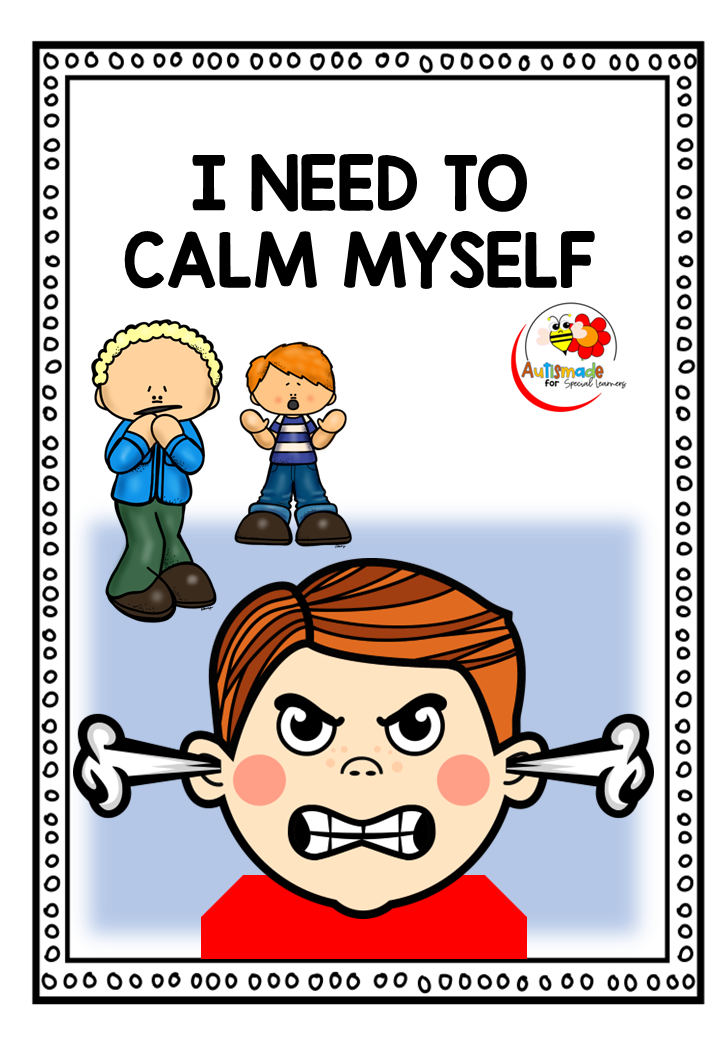
Anger Management for Kids

A Self Regulation Strategy using a Social Narrative

Finding an Anger Management technique that worked was so time consuming, I found myself reading tumps of tips and scrolling through never ending strategies.  Hunting the internet for that one great resource was taking to much of my time while my tiny tots rampaged through class.  


So I sat down with my laptop and decided to write a Story support... what did I have to loose? 
Anger issues were arising with a number of students and I realised I needed to teach  coping skills that my young learners could try out.

I started thinking of strategies my kids could practice even before behaviours happened, such as counting to 10, deep breathing etc. 
 I wanted my kids to understand and be motivated. I started with some visual supports then added basic sentences and before long I had created my short story

The class love to see the angry faces turn into happy faces when I read the story and will now join in (after a couple of prompts) with role play coping skills.....  
       Self Regulation is well under way!


Tips for Visual Schedules


Visual Schedules are designed to support students throughout the day and help you to manage your Classroom more effectively.                   Here are 7 tips for setting up and getting started!


VISUAL TIPS FOR SCHEDULES

1. Start Simple

Make visuals for just the key times of the day eg, morning work, break, lunch etc,  for your young learners to learn to recognise and correspond with the days activities.

2. Have a laminator

Make the laminator your best friend! If you want all your hard work to last, laminate all mounts and visuals because they are going to go through a tough time!


3. Use wall mounted 

Use a wall mounted schedule that is low enough for your student to access and add detachable symbols of the daily routine. 

4. Use a finished Box

Attach a finished box at the end or side of the schedule to drop in the finished activities as you go along throughout the day. 


5. Use a file folder

A portable schedule can be used in a file folder in the same way as a wall mounted one. I find these easier with older children and more efficient in busy classrooms. Pop their name on it and keep all their individual support visuals in one place. 


6. Make it with tick off boxes

Remind students to check off as tasks are completed. Tick off boxes are great with portable type schedules.  


7. Use a flip schedule

Flip a cover over to hide the finished task. 

8. Model and Practice

Always model, practice and remind your busy students at the beginning of each activity to, "check schedule".  Make a plan to pull back on all prompting until they begin to use this system independently!


For more schedules check out the links :-

My Visual Supports

Visuals Folder Supports

Daily Planner Binder


Teaching Feelings and Emotions


Many parents and teachers find it difficult to teach young learners with special Ed how to recognise their feelings and emotions.


Teaching young learners how to label their emotions is a difficult skill to learn, and being prepared to seize opportunities when these present naturally is sometimes lengthy. 

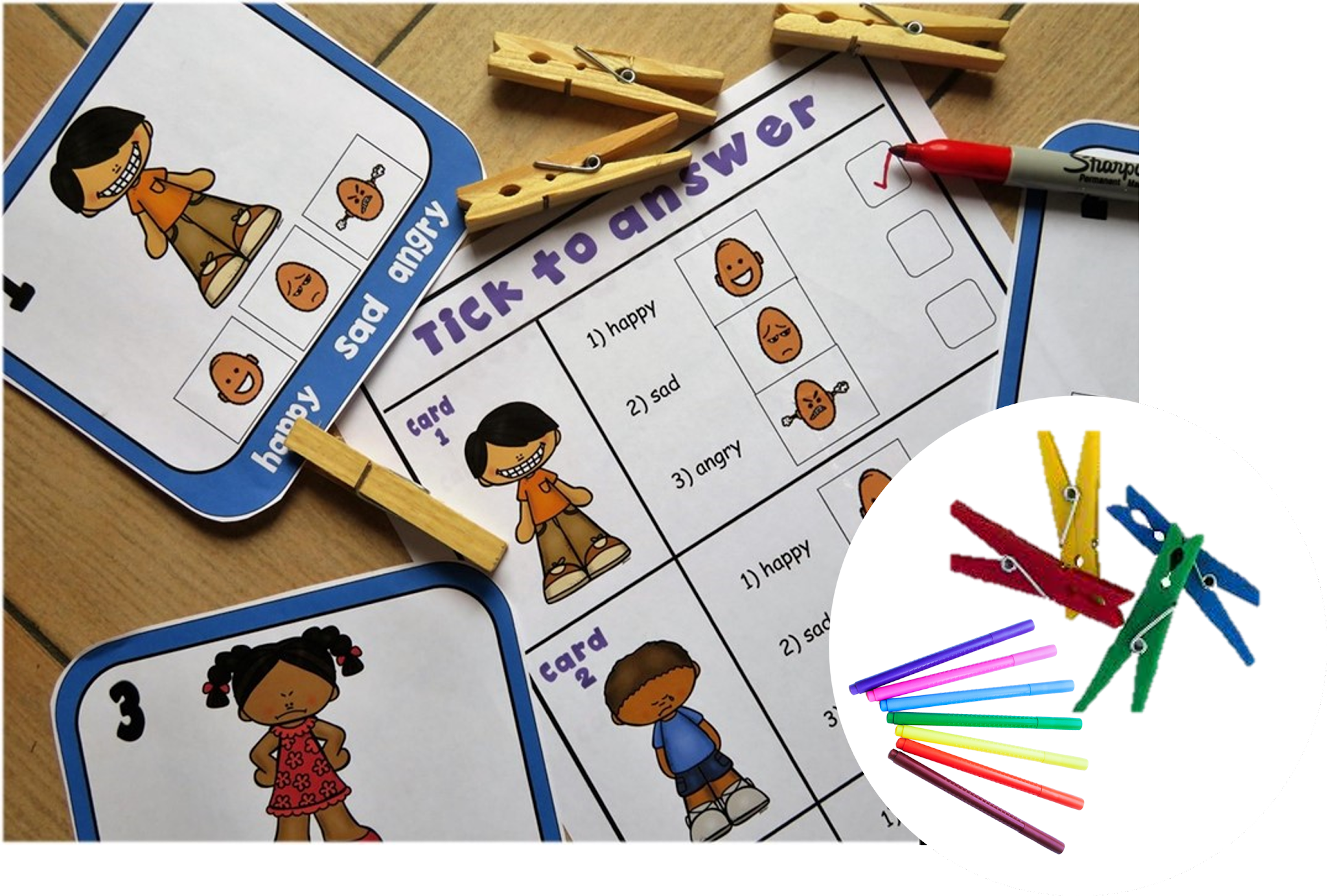
In my class I've arranged a number of  activities and Social Stories where students can begin to recognise someone happy, sad, angry and practice labeling facial expressions with visual cues.


The Task cards I created gives my kiddos the opportunity to practice identifying facial expressions and emotions as well as being able to label them correctly with answer sheets! 


To make this activity more fun and interactive my kiddos used pegs to answer first, then dabbers to complete assessments sheets!


 I have also added this resource to my Social Story Bundle!


Visuals for Behavior Management

 Using Visual Cue Cards to Support Students Across the School Day

Visual cue cards are one of the simplest — and most powerful — tools you can use to help students understand expectations, follow routines, and feel calm and confident in different school environments.

Whether it’s in the classroom, the dining hall, or outside during recess, visual cues offer clear, consistent communication — especially helpful for students who are neurodivergent, have communication difficulties, or just benefit from extra structure.


Here’s a guide to setting up and using visual cue cards across key parts of the school day. 


1. In the Classroom: Helping Students Stay Focused and Calm

Visual cue cards in the classroom can:

  • Support transitions

  • Reinforce expectations

  • Prompt behavior gently

  • Promote independence


 Common Classroom Cue Cards:

  • Sit down

  • Listen

  • Good looking / Good sitting

  • Put your hand up

  • Quiet voice

  • First work, then reward

  • Break time

  • Finished

  • Well done! / Great effort!

 How to Set Up:

  • Print cards with both symbols/pictures and text

  • Laminate them for durability

  • Keep them on a ring, lanyard, or small folder for quick access

  • Use them proactively and positively, not just reactively

Tips:

  • Teach the meaning of each cue before using them regularly

  • Pair the visual with simple language (e.g., show “Quiet Voice” and say, “Let’s use quiet voices now.”)

  • Praise when students respond well to a cue


2. In the Dining Hall: Supporting Calm and Respectful Mealtimes

The dining hall can be noisy and overwhelming for many students. Cue cards can help by setting clear, consistent expectations.

 Common Dining Hall Cue Cards:

  • Line up

  • Hold your tray

  • Use quiet voice

  • Wait your turn

  • Eat nicely

  • Use fork/spoon

  • Stay seated

  • All done? Put rubbish in the bin

  • Well done eating!

 How to Set Up:

  • Create a portable cue card set on a ring or small flipbook

  • Use real-life photos or clear symbols (e.g., a child holding a tray, or sitting at a table)

  • Store near the entrance or on the teacher/assistant supervising lunch

Tips:

  • Show the cards before entering the dining area to prepare students

  • Point to the visuals while calmly guiding behavior

  • Use reward cards or praise when expectations are followed (e.g., “Great job waiting your turn!”)


3. Outside at Recess/Playtime: Supporting Safe and Fun Play

Outdoor time is exciting — and sometimes overwhelming. Visual cue cards help students understand boundaries and play safely with others.

 Common Playground Cue Cards:

  • Take turns

  • Use kind hands

  • Ask to join in

  • Stop and listen

  • Come here

  • Time to line up

  • Toileting

  • Quiet time/break

  • Safe hands / feet on the ground

 How to Set Up:

  • Use larger laminated cards on a lanyard or key ring for durability

  • Choose visuals that are bold and clear, visible even from a short distance

  • Practice using them during structured play first (e.g., during PE)

Tips:

  • Teach and rehearse playground expectations with the visuals in a lesson or story

  • Use cue cards to guide students through small conflicts (“Let’s use ‘Take turns’”)

  • Reinforce positive interactions with praise or a reward cue (e.g., “High five!” or “You did it!


Storage Ideas:

  • Lanyard: Easy to wear and grab while on duty

  • Plastic wallet or zip pouch: For desk or tote bag

  • Hooked near doorways: So staff can grab them quickly when transitioning between settings


Why It Works

Visual cue cards are:
 Clear and consistent
 Great for all communication levels
 Calming for anxious students
 Reinforcing for positive behavior
 Easy for all staff to use

Visual cue cards don’t need to be fancy to be effective. Start with just a few key cues for each setting, teach them clearly, and keep them visible. You’ll be amazed how much more smoothly your day runs — and how empowered your students feel.

 Visual Cue Cards 


For more information visits here


Communication Visuals for non -verbal students with Autism

 Critical Communication -


Teaching students new skills such as requesting "break", "help" and "wait" can be tricky for some kids with Special Education Needs.
I  wanted to  support each of my non verbal students with  self -management strategies and tools that were easy to implement, so i created these 


To aid communication, avoid frustration and control behavior in my classroom I knew i had to incorporate these critical skills. 
I added handy visuals on the bottom for my student to tell me.....

  • how they were feeling, by pointing or ticking the box when they needed a "Break", 
  • directions on what to do while they were "waiting" 
  • what they need "help" with


Producing these before behavior starts makes a huge difference in redirecting students as what to do. Support staff love the power of the cards!

I made them in three different sizes, in colour and black & white. 
I use these cards to provide structure in my behaviour support plans and they run in conjunction with ABA Management'.


Tips for implementing the First Then Strategy!

  First–Then Strategy for Autism: A Simple Classroom Management Tool for PreK–2 Special Education If your classroom sometimes feels like its...